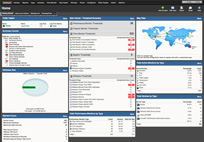
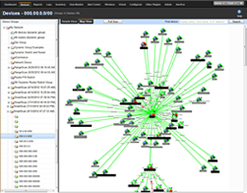
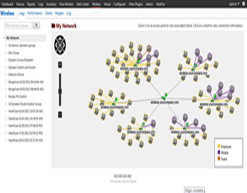
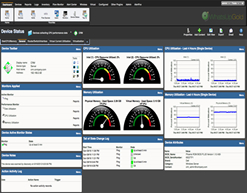
It’s tried, tested, and proven on networks just like yours – over 100,000 of them. With WhatsUp Gold managing your network infrastructure 24x7, your life as the network manager just got easier. WhatsUp Gold Premium ensures you have 360° visibility, actionable intelligence and complete control to make not only fast decisions, but better ones.
With WhatsUp Gold Premium Edition, you get:
- High-performance predictive monitoring of networks, systems, applications, and services, including wireless networks
- Over 200+ network and infrastructure reports providing real, actionable intelligence
- An industrial strength management architecture using the most advanced standards (SNMP v1-3, TCP, ICMP, SSH) available
- Comprehensive out-of-the box support for WMI, supporting complete Windows service monitoring*
- Agentless monitoring for Unix and Linux systems using SSH*
- Integrated application (MS Exchange, NT Services, and MS SQL) monitoring capabilities delivering critical process and performance analytics*
- Rich capability for synthetic transaction monitoring ensuring application performance and integrity
- The industry’s leading alert management platform, featuring easy to use alarms, alerts and notification capabilities for real-time operations support
- Split second graphs and InstantInfo feature supporting real-time troubleshooting activities*
- A highly flexible, automated, and comprehensive network discovery and mapping platform
- Quick navigation with intuitive Web and Windows consoles, which provide 360° visibility
- Air-tight security and configurable role-based management
- A platform installed in just minutes and designed to be simple and intuitive to use right out of the box
Find out how this cost efficient network management solution can become one of your most effective business enablers.
Download WhatsUp Gold Premium today
*Not included in WhatsUp Gold Standard Edition. For WMI, the Standard edition supports custom monitoring via Jscript or Visual Basic.
Power Forward with WhatsUp Gold 14.2
This is one release that we know you’ll love! It’s packed with features that were on the top of the list for many of you. And it’s designed to make
WhatsUp Gold and its plug-ins even more intuitive, user friendly and a time saver - with enhanced automation, reliability and expanded coverage for
managing your network, server and application infrastructure.
All in all, this is IT Management Made Simple as never before.
New for all WhatsUp Gold Versions:
Business Hour Reporting
Need to provide SLA reports based on specific Business Hours to your customers or your management? WhatsUp Gold now makes it easy to set up
multiple sets of Business Hours as required and apply them to Group and System reports. Business Hour settings are easily accessible from the date
range picker on these reports.
Scheduled PDF Reports
Need to easily share reports with your management and business counterparts? You can now email PDF versions of reports on the fly or
schedule them for regular delivery directly from an individual report or workspace page. All scheduled PDF reports can be managed via the WhatsUp
Gold web interface.
Blackout Summary Notifications
Wonder if there were events that you missed when your devices were under blackout? You can now easily get updated at a glance with Blackout Summary Notifications when you return.
Multiple Data Points on a Single Graph
Need visualization for multiple CPU, disk or memory utilizations on a single performance chart? WhatsUp Gold now provides just that with the added
flexibility of dynamically including or excluding any of the components as you need.
New SMS Alerts
Want to receive Alert Center messages when you are away from your computer or email? WhatsUp Gold now supports SMS alerts directly to your
phone from Alert Center. And it comes with the capability for customizing the SMS message for e.g. with “percent variable” information so that you
know how to respond.
Agentless Unix and Linux Monitoring with SSH
(not available in Standard edition)
Looking for a truly agentless method for monitoring your Unix or Linux systems? WhatsUp Gold offers three new ways to monitor and manage Unix/Linux
systems –a new Active Monitor, a Performance Monitor and a new Action type. Using the built-in SSH credentials, WhatsUp Gold can log into the Unix/Linux
systems and execute a command. The command output is checked against the expected response to assess success / failure for an Active Monitor, or
numerical outputs are stored and graphed over time in the Performance Monitor. New Action types enable you run custom scripts on an on-demand or
scheduled basis as required.
Introduced in version 14.2
Announcing two NEW WhatsUp Gold Plug-ins:
WhatsVirtual
The WhatsVirtual plugin enables the automatic discovery and mapping of VMware ESX/ESXi host and guest (virtual) machine roles. Visual maps show the connections between the host system and its associated virtual machines, even those in suspended modes.
WhatsUp Gold Failover Manager
WhatsUp Gold Failover Manager delivers increased reliability to your management efforts with the automatic, bi-directional failover of the WhatsUp Gold v14.2 platform through a redundant architecture of Primary and Secondary WhatsUp Gold servers. When the Primary is unable to continue
monitoring or encounters failure in component services, Failover Manager ensures automatic transfer of monitoring responsibility to the Secondary system. Failover Manager works with all WhatsUp Gold versions.
Powerful Enhancements for Existing WhatsUp Gold Plug-ins:
Flow Monitor - Expanded Flow Protocol Support
Flow Monitor now offers expanded support for the IPFIX protocol as well as for Cisco ASA firewalls (Cisco calls it NetFlow Security Event Logging or
NSEL). With existing support for NetFlow, J-Flow and sFlow formats, this expands Flow Monitor support to nearly all flow enabled devices.
95th Percentile Reporting
Many service providers charge for bandwidth on the 95th percentile basis – also called the burstable billing method. Flow Monitor now offers an easy
way to monitor your 95th percentile bandwidth consumption from within the Interface Overview report.
WhatsConfigured - Policy Based Monitoring
Policy based monitoring allows you to define a policy in WhatsConfigured that will be audited whenever device configurations are backed-up. Policies
can also be verified on-demand against existing configuration back-ups. And if a configuration back-up fails the policy audit – you will immediately get notified.
Custom Script Import/Export
As a WhatsConfigured user you may have created many custom tasks to collect selected configuration information from your devices. Now with custom script
import/export capability you can easily share these custom task settings within the community portal. Moreover, custom tasks can now be run on
demand – so that you can quickly verify/backup selected configuration information when you need to.
Global Configuration Search
Global search allows you to search any or all of the configuration files that are stored in the WhatsConfigured database. The search can be performed
against a single device or all devices and even be limited to only a selected number of last archive updates.
WhatsConnected - Auto Device Dependencies
WhatsConnected now supports the option for automatic creation of device dependencies when exporting to WhatsUp Gold. This capability automatically
populates device maps and sets up polling dependencies based on this information within WhatsUp Gold.
Scheduled Layer 2 Discovery
You can now run scheduled Layer 2 discovery with WhatsConnected at regular intervals keeping your network information up to date. As scheduled
discoveries are run, they automatically update the discovery files with new connectivity information.
Powerful New Reporting
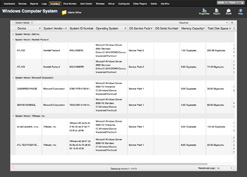
WhatsConnected now includes three new out-of-the box reports for comprehensive insight into network assets and their dependencies –
- The Asset/Inventory report provides a view of the assets discovered by WhatsConnected as well as tools to sort and filter the assets that appear in the view.
- The Device Connectivity report provides a list of the devices connected to a network device as well as tools to sort and filter the assets that appear in the view.
- The new Bridge Port Utilization report provides a view of port usage (total available and used) on networking equipment.
About Virtual machines
WhatsUp Gold can be installed and will operate on virtual machines powered by
VMware and Microsoft Virtual Server, as long as the virtual server's resources meet
that of the WhatsUp Gold system requirements.
Software requirements
- 32-bit and 64-bit support for the following OS versions: Windows 7, Windows Vista Ultimate (SP2 recommended), Windows Vista Business (SP2 recommended), Windows XP Professional SP3, Windows Server 2003 SP2 (or later), Windows Server 2008 SP2, or Windows Server 2008 R2
- 32-bit and 64-bit support for the following virtual server environments: VMWare ESXi 3.0 or later and Microsoft Hyper-V Server 2008
Important: If WhatsUp Gold is hosted on VMWare ESXi or Microsoft Hyper-V Server 2008, to avoid licensing issues, make sure that you assign a static MAC address to the virtual machine that WhatsUp Gold is operating on.
- Microsoft SQL Server 2005 Express Edition (included), SQL Server 2005 Standard or Enterprise Edition, or Microsoft SQL Server 2008 Standard or Enterprise Edition (optional)
Important: WhatsUp Gold does not support non-English versions of Microsoft® SQL Server® 2005 or Microsoft SQL Server 2008.
- IIS 6, IIS 7, or Ipswitch Web Server
- WhatsUp Gold Web interface, Microsoft Internet Explorer 7.0, Microsoft Internet Explorer 8.0, or Firefox 3.0
- WhatsUp Gold Mobile interface, Mobile Safari 2.2, Microsoft Internet Explorer Mobile 6.1, or Opera Mini 4.2
- Microsoft .NET Framework 3.5 (required), Microsoft .NET Framework 3.5 SP1 included in install
Important: Microsoft .NET Framework 3.5 SP1 is not compatible with Windows SharePoint Services 2.0. If you are running
SharePoint Services 2.0, you should not upgrade or install WhatsUp Gold. WhatsUp Gold requires Microsoft .NET Framework 3.5 SP1 and automatically
installs this package if not present on the system. For more information about the issue, see the
Microsoft Knowledge Base article.
- Microsoft Windows Scripting Host v5.7 (or later)
Note: Windows Scripting Host is installed with the Windows
operating system. To verify your version, run cscript.exe at a command prompt. If you need to update Windows Scripting Host, refer to the
Microsoft Windows Scripting Host site.
- Microsoft SAPI 5.1 (required for Text-to-Speech actions)
Additional software requirements for WhatsUp Gold Flow Monitor
WhatsUp Gold Flow Monitor has the same base system requirements as WhatsUp Gold 14. In addition, WhatsUp Gold Flow Monitor requires:
- WhatsUp Gold v14 Standard Edition, Premium Edition, MSP Edition, or Distributed Edition
- At least one routing device that supports NetFlow versions 1, 5, and 9
- or -
At least one routing device that supports sFlow version 2 and 5
Note: WhatsUp Gold Flow Monitor 14 performs well in most installations that use SQL Server 2005 Express. However, some large data collections, that require 4 GB of data storage or more or where data is collected and archived over a long period of time, may require MS SQL Server
2005 Standard or Enterprise Edition or Microsoft SQL Server 2008 Standard or Enterprise Edition.
Hardware requirements
| Processor(s) |
WhatsUp Gold: Dual-core
Flow Monitor: Quad-core |
WhatsUp Gold: Single-core
Flow Monitor: Dual-core |
| Processor Speed |
2 GHz or more |
2 GHz |
| RAM |
WhatsUp Gold: 4 GB
Flow Monitor: +4 GB |
WhatsUp Gold: 2 GB
Flow Monitor: +2 GB |
| Hard drive space for application, SQL Server Express Edition dbase application, and supporting framework |
3 GB |
2 GB |
| Hard drive space for dbase and dbase logs |
WhatsUp Gold: 8 GB
or more Flow Monitor: +16 GB or more |
WhatsUp Gold: 4 GB
Flow Monitor: +8 GB |
| Network interface card |
1 Gbps |
100 Mbps |
| CD-ROM or DVD-ROM |
Required if installing from CD-ROM. Not required for download
installations. |
Required if installing from CD-ROM. Not required for download
installations. |
| Video display resolution |
1280 x 1024 or higher |
1024 x 768 |
| Sound card |
SAPI-capable sound card required for Text-to-Speech actions |
Not required |
| Modem and phone line |
Required for pager, SMS, and beeper actions; modem pooling is not supported |
Not required |
| GSM modem |
Required for SMS Direct actions |
Not required |
Note: The WhatsConnected, WhatsConfigured, and VoIP Monitor plug-in system requirements are the same as the WhatsUp Gold requirements. Additionally, WhatsConnected supports Microsoft Visio 2003 or 2007 English version only and the VoIP Monitor requires Cisco IP-SLA compatible devices.
Note: WhatsUp Gold can be installed and will operate on virtual machines powered by 32-bit or 64-bit VMware ESXi 3.0 or later and Microsoft Hyper-V Server 2008, as long as the virtual server's guest OS resources meet that of the WhatsUp Gold system requirements.
WhatsUp Gold Comparison to SolarWinds Orion
The WhatsUp Gold product family delivers comparable functionality but at a much lower cost – as much as 8 times less. For details on how these two product families match up, read our WhatsUp Gold Premium vs. Solarwinds NPM comparison paper.
The difference in price is directly attributed to the different licensing philosophies. Solarwind’s licensing is based on the number of "elements" managed (e.g. interfaces or volumes), while WhatsUp Gold believes in simple, direct device-based charging. So is Solarwinds making profits at your expense?
The Clear Cut Winner is WhatsUp Gold
- The most intuitive, easy to deploy, and cost effective network management solution available today
- Comprehensive visibility, actionable intelligence, and complete control to make not only fast decisions, but better ones
- Fault, performance and configuration management in one single integrated platform and product family
- Managing over 100,000 small business, enterprise and service provider networks worldwide
| Features |
Description |
WhatsUp Gold |
Solarwinds Orion |
| Application Monitoring |
Application monitoring included at no extra cost |
 |
 |
| IPv6 Support |
Monitoring of IPv6 enabled devices and systems is critical to an overall effective network management strategy. |
 |
 |
| Built-in MIB Management and Validation |
Supports an authentication scheme far superior to that of SNMPv1 and v2; both of which are limited to the use of unencrypted, clear text passwords (community strings). |
 |
 |
| Configurable Monitors |
Provides the capability to develop unique monitors for custom monitoring. |
 |
 |
| Distributed and Multi-site Environments |
Enable survivable multi-site monitoring with minimum impact on bandwidth |
 |
 |
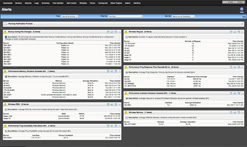
| Configurable Dashboards |
Built-in NOC-like views for instant visual status of up/down status, response time, and critical system details and addition of external web-site feeds. |
 |
 |
| Drag and Drop Web Interface |
Configurable management interface provides maximum flexibility to move and add reports to access most relevant status information instantly. |
 |
 |
| Layer 2 Discovery, Mapping and Visualization |
Integrated discovery, mapping and visualization provides port-to-port connectivity with automated creation of monitors for devices and links. |
 |
 |
| Bulk Monitor Changes |
Rapid deployment of monitor configuration changes to common devices. |
 |
 |
| Configurable Split-Second graphing for both SNMP and WMI |
Instantly access real-time information about status of devices, interfaces and services. |
 |
 |
| Reporting |
Over 200 configurable reports with both real-time status and historical trending data. |
 |
Partially Included |
Pricing Comparison
Large Customer: Solarwinds Orion vs. WhatsUp Gold
Objective of the network manager is to monitor both up/down and performance of a set of defined server parameters, application monitoring and all interfaces on all networking devices.
Equipment inventory of devices to be monitored is 438 devices, broken down as follows:
| Quantity |
Description |
| 52 |
48 port switches |
| 7 |
Core switches with 4 48 port line cards |
| 100 |
Windows based servers: - with 200 volumes total, running various
applications requiring monitoring including SQLServer, Exchange and others |
| 21 |
Cisco routers |
| 179 |
Wireless APs |
| 2 |
Firewalls |
| 2 |
VPN concentrators |
| 7 |
Wireless LAN controllers |
| 68 |
24 port switches |
Costs For the Same Environment
| Solarwinds Orion |
| Elements Required: |
Unlimited |
| Price: |
$20,975.00 |
| Application Monitoring: |
$19,995.00 |
| Total Cost: |
$40,970.00 |
| Fits your Budget? |
NO |
| WhatsUp Gold |
| Devices Required: |
500 |
| Price: |
$5,195.00 |
| Application Monitoring: |
Included |
| Total Cost: |
$5,195.00 |
| Fits your Budget? |
YES |
Summary
For cost effective network management and monitoring, WhatsUp Gold is the obvious
choice. Compared to Solarwinds Orion, the choice becomes even clearer.
When it comes down to it, who has time to figure out how many interfaces, devices
and volumes are in your network and worry about per element*
licensing. Getting budget approved is hard enough with out having to go back to
management when you discover that you need larger licenses to ensure you are
monitoring your entire network.
With WhatsUp Gold's straight forward per device licensing model
you know upfront and exactly what you are going to need to be able to completely
monitor your network.
The above WhatsUp Gold and Orion pricing comparison that proves that WhatsUp Gold
is clearly the solution with the lowest overall TCO.
*Licensing of the Orion Network Performance Monitor is based upon the highest number of managed interfaces, nodes and volumes. Licensing of the Orion
Network Performance Monitor is based upon the highest number of the following three values: Interfaces = Total number of managed network interfaces
(including switch ports, physical interfaces, virtual interfaces, sub-interfaces, VLANs, and etc..) Nodes = Total number of managed nodes (including routers, switches, servers, access points, modems, and etc..) Volumes
= Total number of managed volumes (logical disks).